
An LED banner app that turns your phone into a scrolling sign
Type a short message or draw something by hand, pick a scroll speed, and hold your phone up. Cheer Loop plays it full screen in landscape and turns brightness all the way up, so people can read it from across the room, the stands or the arrivals hall.
- Scrolling text up to 50 characters, or your own hand-drawn doodle
- Five scroll speeds, from ×0.5 to ×4
- Full screen, max brightness, and the screen stays on while it plays
Free to download. Optional Premium subscription for extra colors, text weights, favorites and a longer history.
Try it in your browser
No download needed – make a free LED banner online.
Open the web LED banner →Features
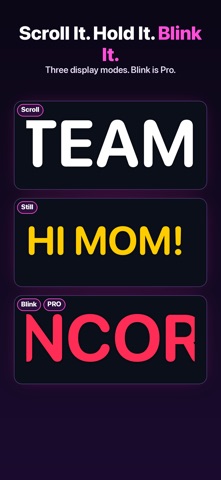
Scrolling text, marquee style
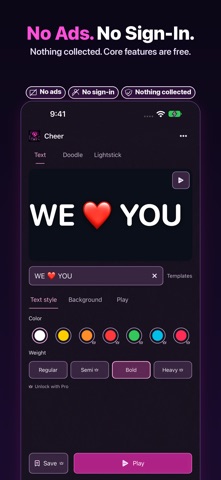
Type a one-line message (up to 50 characters), choose a text color and weight, and preview it at different speeds before you go full screen. Speeds run from ×0.5 for a slow, easy-to-read crawl up to ×4 for something fast and loud.
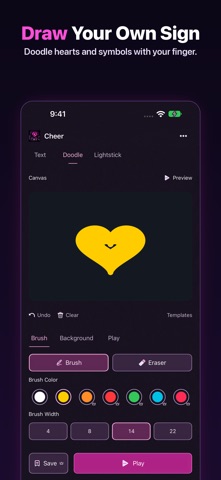
Draw your own sign
Not everything fits in words. Draw freely with your finger, adjust the brush width, and use the eraser to fix mistakes. A sign can have text, a drawing, or both.
Built to be seen
Playback goes full screen in landscape and raises screen brightness to maximum. The screen won't auto-lock while your sign is playing, and your previous brightness comes back when you stop.
Replay in one tap
Your recent signs are saved in history so you can bring one back instantly, which helps when you're cheering the same name all night. The free version keeps your last 3 signs.
Private by design
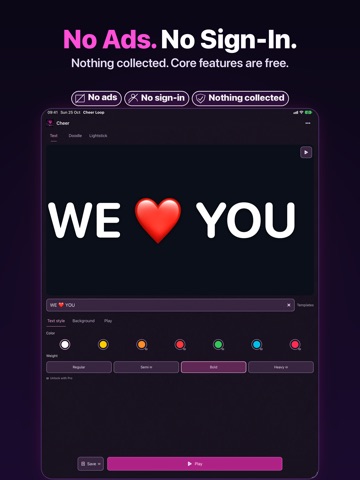
No sign-in. Your text, drawings, history and favorites stay on your device, and the App Store privacy label says "Data Not Collected". There are no ads in the app.
Made for iPhone Duo, too
On iPhone Duo, Cheer Loop can play in tabletop and side-by-side layouts: the sign on one half, the controls on the other. These layouts are free, and your message and playback position stay put when the window changes.
Use cases
- Concerts: put your favorite member's name or a short message on screen, at a slow speed so it's readable from the stage. Get the concert sign app →
- Game day: a team name, a player number or "DEFENSE!" in big scrolling letters from the stands. Get the game day sign app → Worlds 2026 final cheer signs →
- Airport and station pickups: show a name at arrivals instead of printing a paper sign. Get the airport pickup sign app →
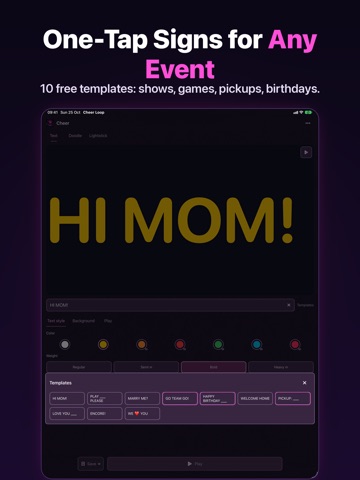
- Parties and birthdays: "Happy Birthday" scrolling on a phone propped on the table.
- Hand-drawn moments: a heart, a logo-style doodle or an arrow when words aren't enough.
Free vs Premium
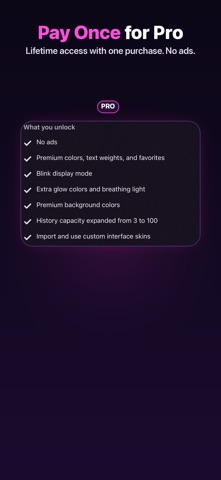
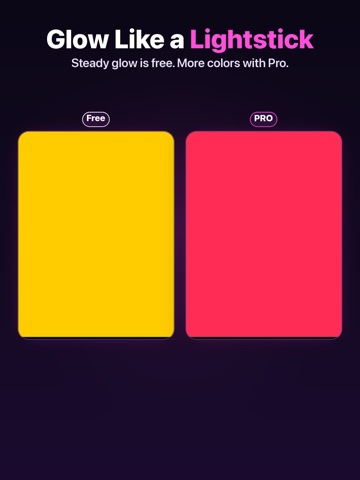
The free version includes text and drawing, all five scroll speeds, full-screen playback, white and yellow for text and drawing, Regular and Bold text weights, a history of your last 3 signs, and the iPhone Duo layouts. Premium adds orange, red, green, cyan and pink for text and drawing, Semibold and Heavy weights, favorites, and a history of up to 100 signs. Premium is an auto-renewing subscription through Apple, available monthly or yearly.
- Version
- 1.3.1
- Size
- 10.5 MB
- Released
- 2026.03.27
- Updated
- 2026-10-31
- Requires
- iOS 18.0+
- Age
- 4+
Release notes
Original text from the U.S. App Store, not translated.
Version 1.3.1 ·
• New Holiday, New Year and Game Day templates, including Merry Christmas, Happy New Year and Go Team Go. • Countdown template: pick a date and time, and your sign shows the time left, updating every second. • Export your sign as a 15-second 1080p MP4 video from the More menu. Free exports include a watermark; Pro exports don't. Fixed known bugs.
Screenshots





FAQ
- Is Cheer Loop free?
- Yes, it's free to download, and you can create and play text and drawn signs without paying. An optional Premium subscription (monthly or yearly) adds more colors, text weights, favorites and a longer history. It's billed through Apple and renews automatically unless you cancel at least 24 hours before the current period ends.
- How long can my message be?
- One line of up to 50 characters. Short messages read best on a scrolling sign anyway.
- Will my screen turn off during a concert?
- Not while the sign is playing. Cheer Loop keeps the screen awake and sets brightness to maximum during playback, then restores your previous brightness when you stop. Max brightness uses more battery, so bring a charger for long events.
- Can I draw instead of typing?
- Yes. You can draw freehand with an adjustable brush and an eraser, and a sign can mix a drawing with text.
- Do I need an account? Does it collect my data?
- No account is needed. Your signs, history and favorites are stored on your device, and the App Store privacy label says "Data Not Collected".
- Does it work on iPad?
- Yes. Cheer Loop runs on iPhone and iPad (iOS / iPadOS 18 or later).