

IdeaMic: Voice Notes
Productivity · Utilities
Turn a short spoken idea into a Markdown note, with transcription on your device.
US App Store: $1.99, one-time purchase. No account or subscription. Prices vary by storefront; check the store before buying.
From an idea thread to your own notes
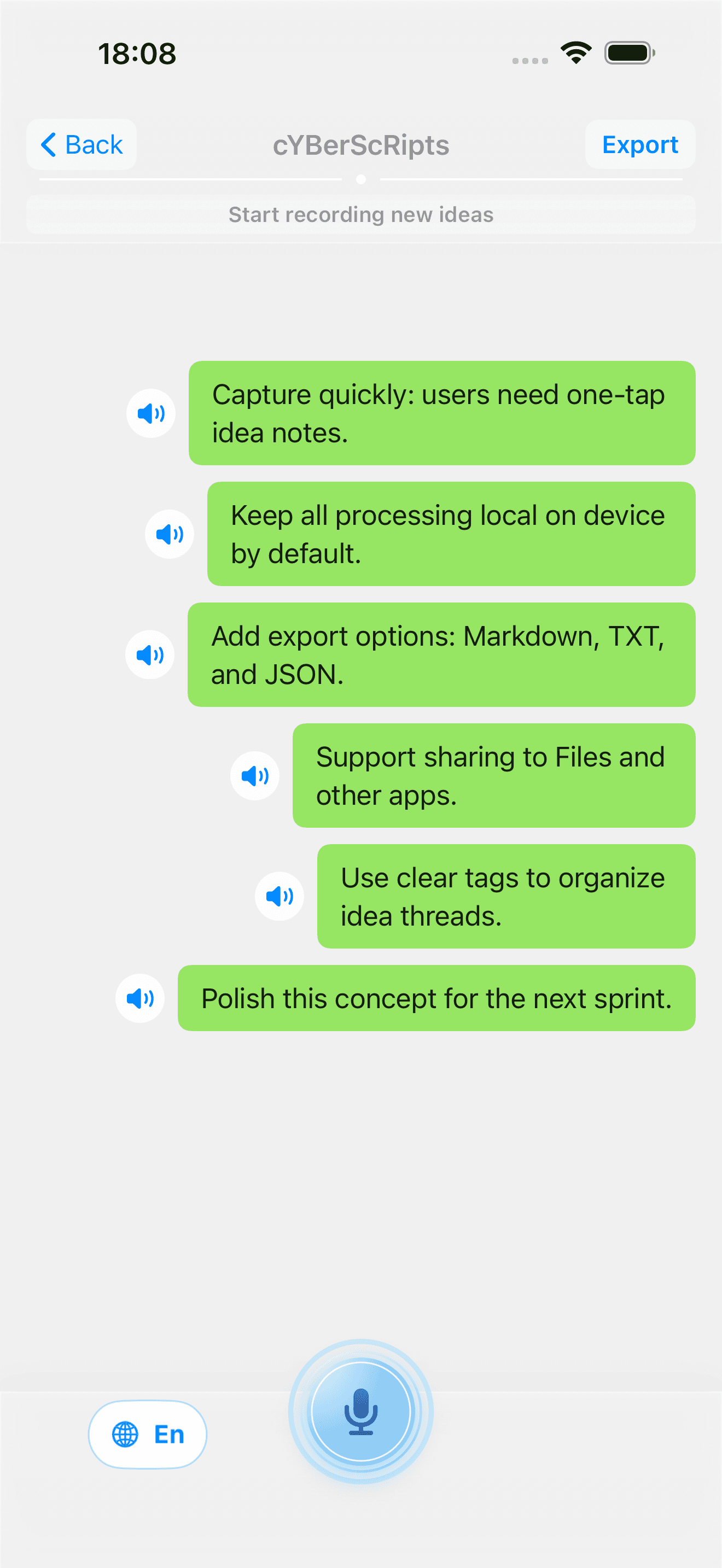
1. Capture an idea
Record a short thought in an idea thread. Keep related transcripts and recordings together.
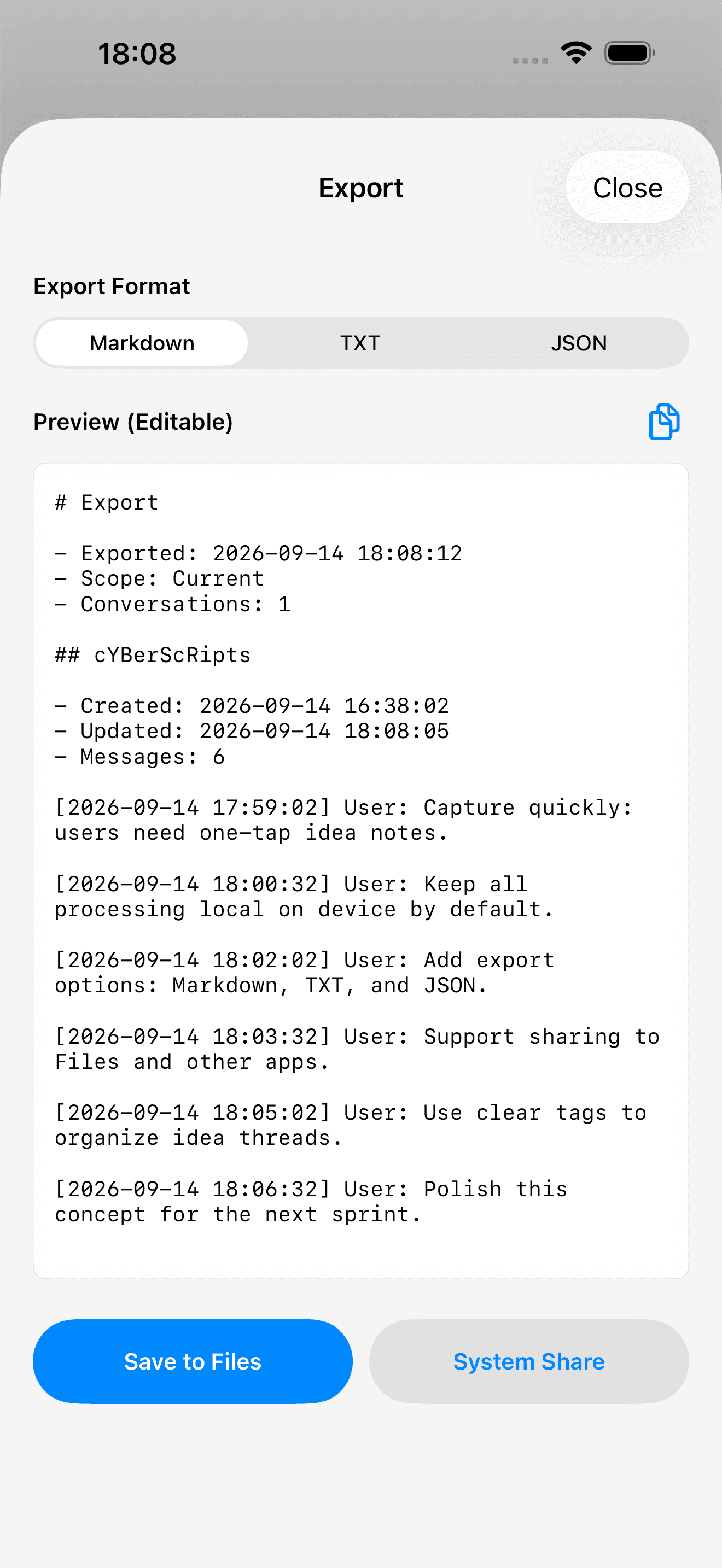
2. Choose Markdown
Open Export, select Markdown, then review or edit the text before saving.
3. Save your file
Use System Share or Save to Files. Move the .md file into your own note-taking workflow.
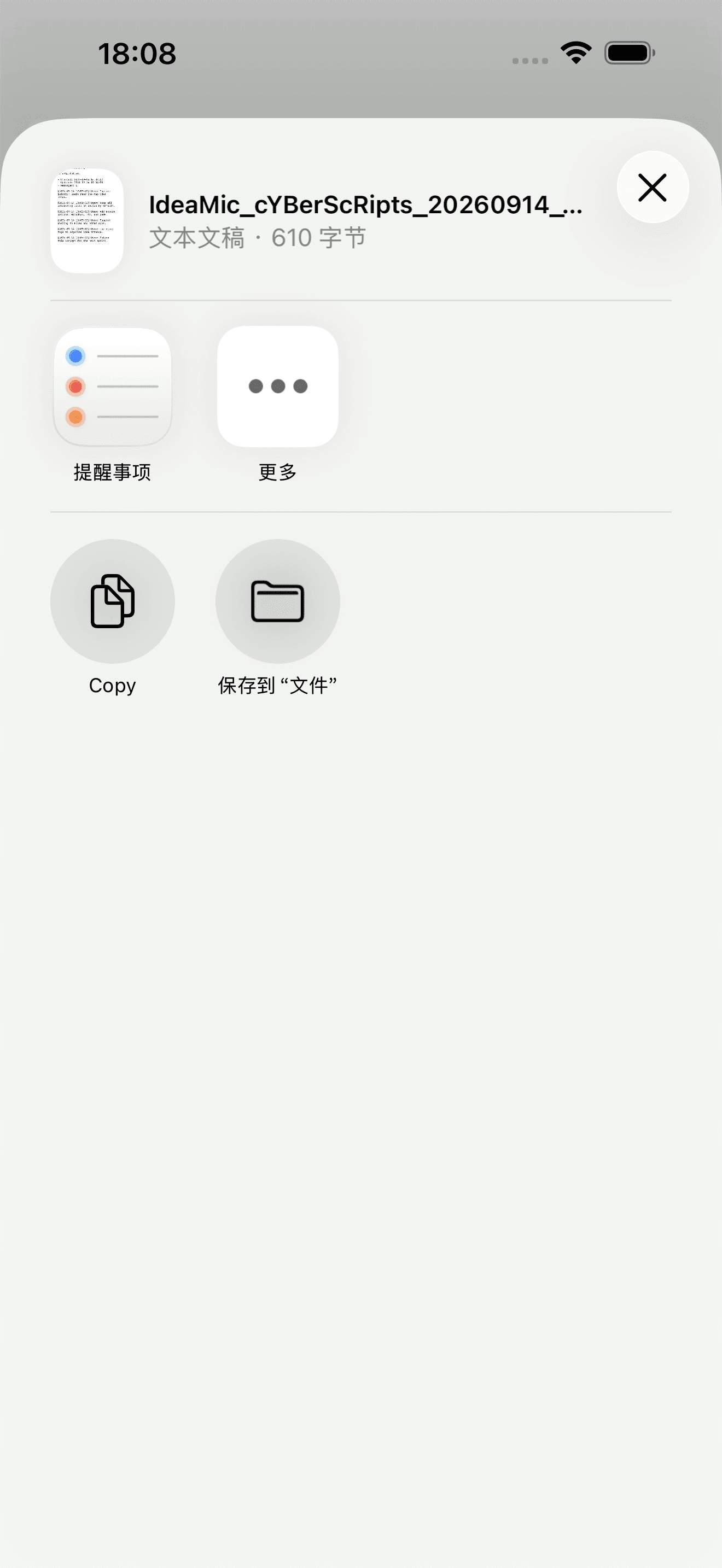
Example content: these simulator screens contain preset text. The demo shows the real interface and file export, not live speech recognition. Native share actions follow the simulator system language.
Try the exported Markdown
Download this file actually exported by IdeaMic. To use it in Obsidian, save it and manually copy or move it into your vault folder, then open the note. This is a manual file workflow; IdeaMic has no Obsidian plug-in or automatic vault sync.
Download the Markdown sample (.md)Before you buy
iPhone and iPad, iOS 18 or later. Each recording is limited to five minutes. On-device speech recognition must be supported by your device and selected language; recording will not start without it. There is no online transcription fallback.
Notes and recordings stay local and are excluded from the system iCloud device backup. Export or back up explicitly to keep another copy. Complete .ideamicbackup files include text and original recordings and are not password-encrypted.
Open in App Store- Price
- $1.99
- Rating
- ★ 0.0 (0 ratings)
- Version
- 1.1.1
- Size
- 6.0 MB
- Released
- 2026.03.24
- Updated
- 2026.08.27
- Requires
- iOS 18.0+
- Age
- 4+