

The PDF editor for iPhone that keeps your files on your device
Merge, split, compress, scan and annotate PDFs right on your iPhone or iPad. Nothing is uploaded, you don't need an account, and there's no subscription: Lifetime Pro is a single purchase.
- Merge, split, reorder and extract pages
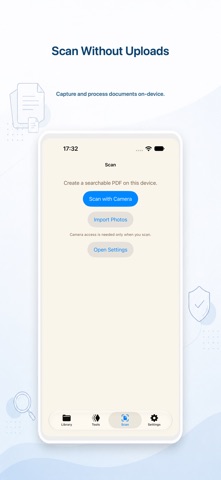
- Scan paper into searchable PDFs with on-device OCR
- Optimize big scanned PDFs so they're easier to send
Free core tools. Try advanced tools 3 times per device, then unlock everything once with Lifetime Pro.
Features
Organize pages: merge, split, reorder, extract
Combine several PDFs into one, split a long file, move pages around or pull out just the ones you need. You can also convert PDF pages into images.
Make scanned PDFs smaller
Scanned documents are often too big to email or upload. Optimize them on your device before sending, with no web uploader involved.
Scan paper and make it searchable
Scan paper documents with your camera, and on-device OCR creates a searchable PDF so you can find text later.
Protect or unlock PDFs
Add password protection before you share a file, or unlock a PDF you have the password for.
Read and annotate safely
Annotate on a safe working copy, then save or discard. Your reading position, zoom and annotations stay put when the window changes size, on iPad multitasking and on iPhone Duo.
Use cases
- Sending forms by email: scan a signed paper form, make it searchable, optimize the size, then attach it.
- Job and school applications: merge a CV, cover letter and certificates into one PDF that fits an upload limit.
- Receipts and paperwork: scan receipts into searchable PDFs you can find later.
- Sensitive documents: password-protect before sharing, with no third-party server in between.
Pricing
Core tools are free. Every device gets three successful advanced outputs to try. Lifetime Pro unlocks every advanced tool with one non-consumable purchase: no subscription, no account. Family Sharing is supported when eligible through Apple.
- Version
- 2.1.2
- Size
- 5.0 MB
- Released
- 2026.03.20
- Updated
- 2026-10-31
- Requires
- iOS 18.0+
- Age
- 4+
Release notes
Original text from the U.S. App Store, not translated.
Version 2.1.2 ·
Refreshed app icon. Fixed known bugs.
Screenshots




FAQ
- Are my PDFs uploaded to a server?
- No. Documents are processed on your device and are not uploaded to us.
- Is there a subscription?
- No. Core tools are free, and Lifetime Pro is a one-time, non-consumable purchase that unlocks every advanced tool. You don't need an account.
- Can I try the advanced tools before buying?
- Yes. Each device includes three successful advanced outputs, so you can check the results before you decide.
- How do I make a scanned PDF smaller on iPhone?
- Open the PDF in PDF Tools Pro and use the optimize tool for scanned PDFs. It runs on-device.
- Can it make scanned documents searchable?
- Yes. The Scan tool creates searchable PDFs with on-device OCR.
- Does it work on iPad?
- Yes. It runs on iPhone and iPad, and keeps your document, zoom and annotations when the window size changes.
Guides
- How to split a PDF on iPhone without uploading it
- How to remove a password from a PDF on iPhone
- How to password protect a PDF on iPhone
- PDF compressor apps for iPhone, compared by price, purchases and privacy
- How to compress a PDF on iPhone without uploading it
- How to scan a document to a searchable PDF on iPhone